

Configuring Grading with Rubric Criteria
This guide explains how to apply your feedback rubrics to assignments and configure grading settings—so you can assign custom points and weights to each criterion directly within the Configurable Grading module.
Grading Using Your Feedback Rubrics
Once you’ve created your feedback rubrics and linked them to an assessment , you can assign grade points and different weights for each criterion to grade the assignment. This is done in the Configurable Grading section of the assignment settings.
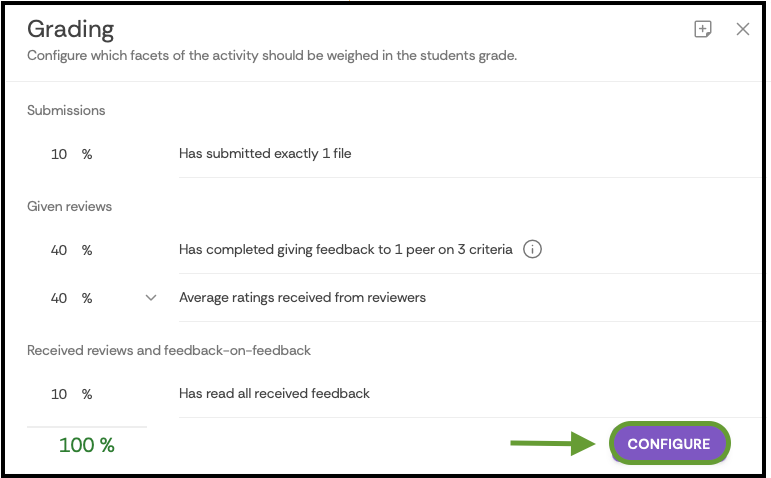
Under Total Grade, you can set custom grade points for each criterion by selecting Configure.
Adjust the weight of each criterion.
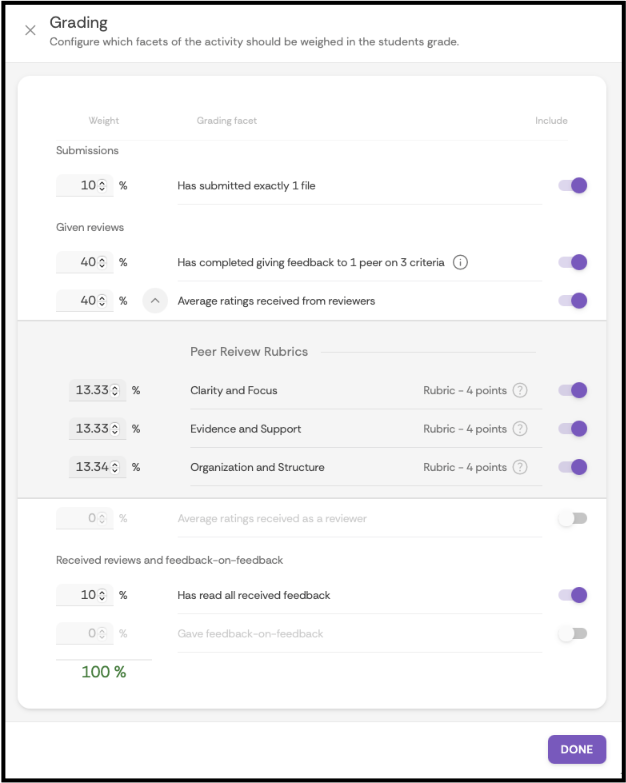
- Select Done when finished.
Supported By
Academic Technology Services
(631) 632-9800