

Quick Search in 25Live
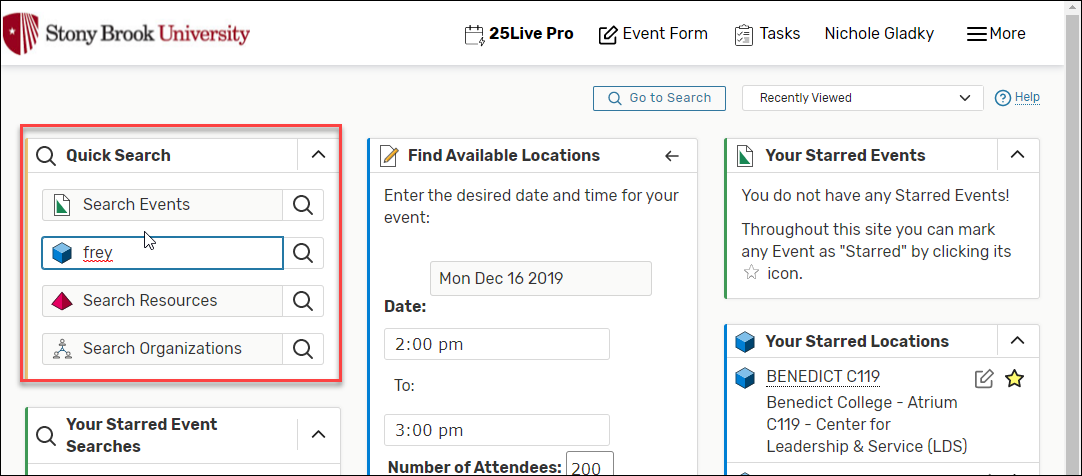
- From the 25Live home page, enter the item’s name in the events, locations, or resources search box (for example, enter "Frey" in the Search Locations field). Then click the magnifying glass to view search results.
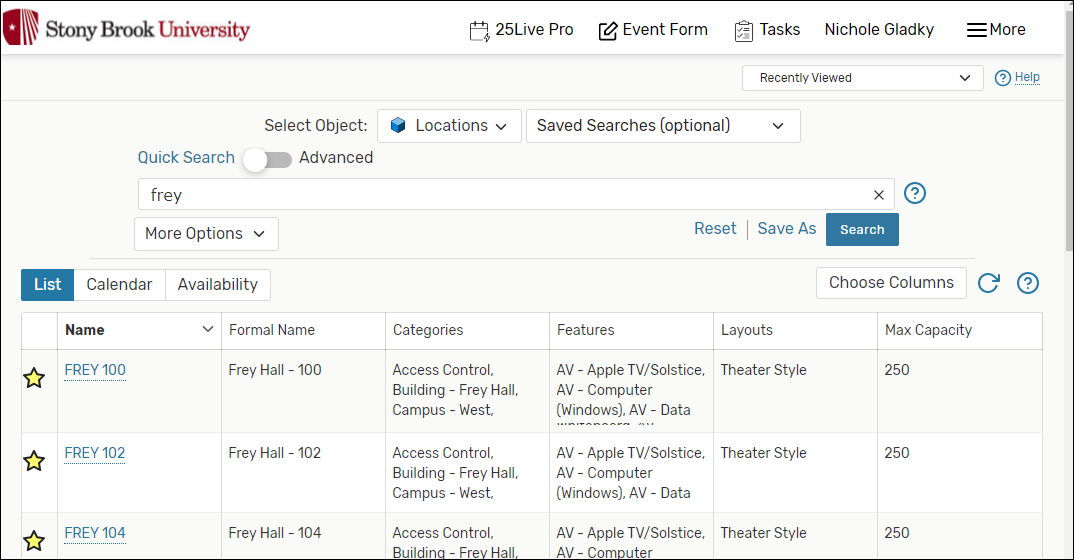
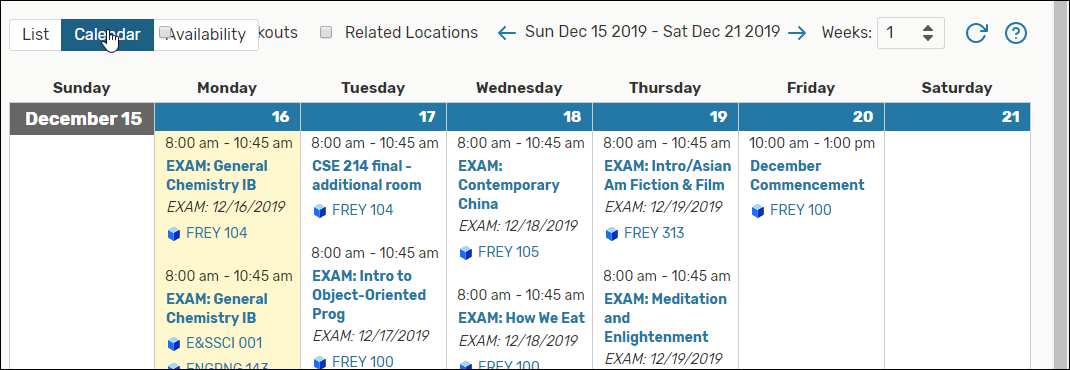
- Results will display in one of three views (click the List, Calendar or Availability tab at the top to change views):
- List:
- Calendar:
- Availability:

- List:
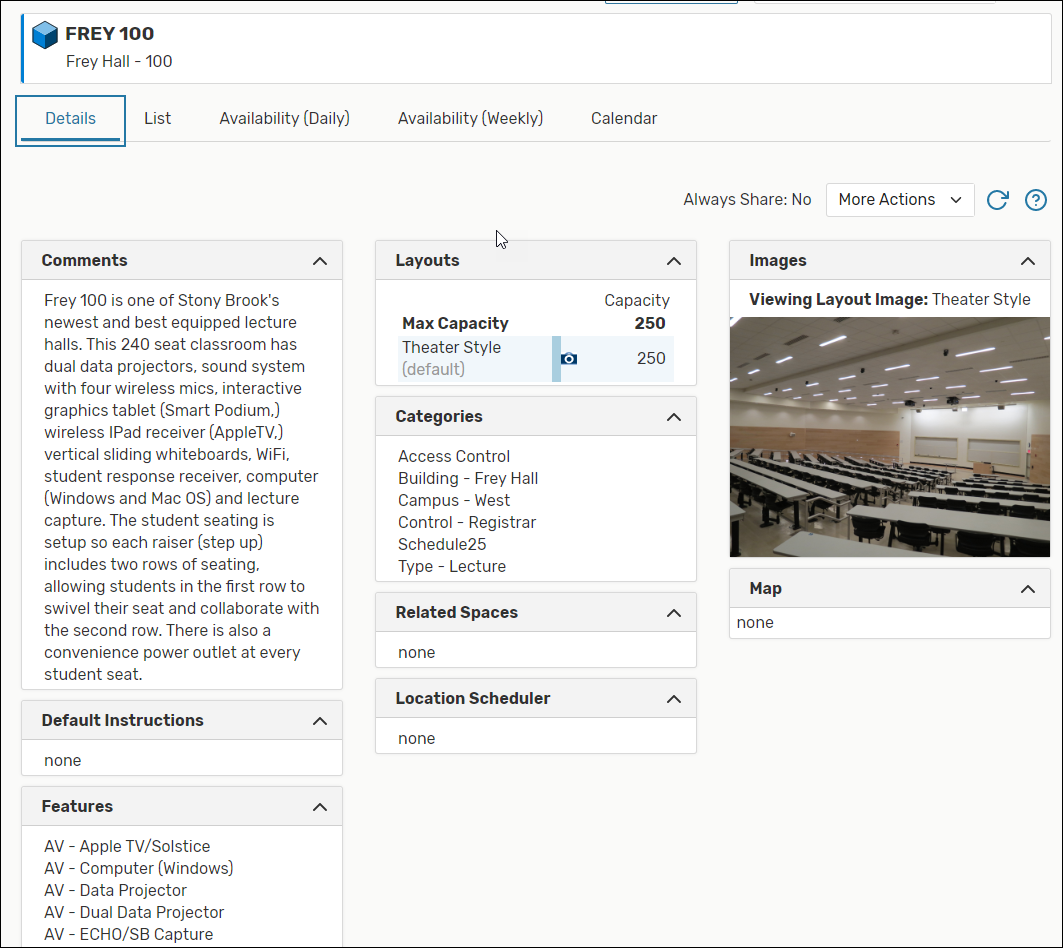
- Click an item's name to view more information. Then select between the tabs at the top (Details, list, Availability (Daily), Availability (Weekly), Calendar) to change views if necessary.
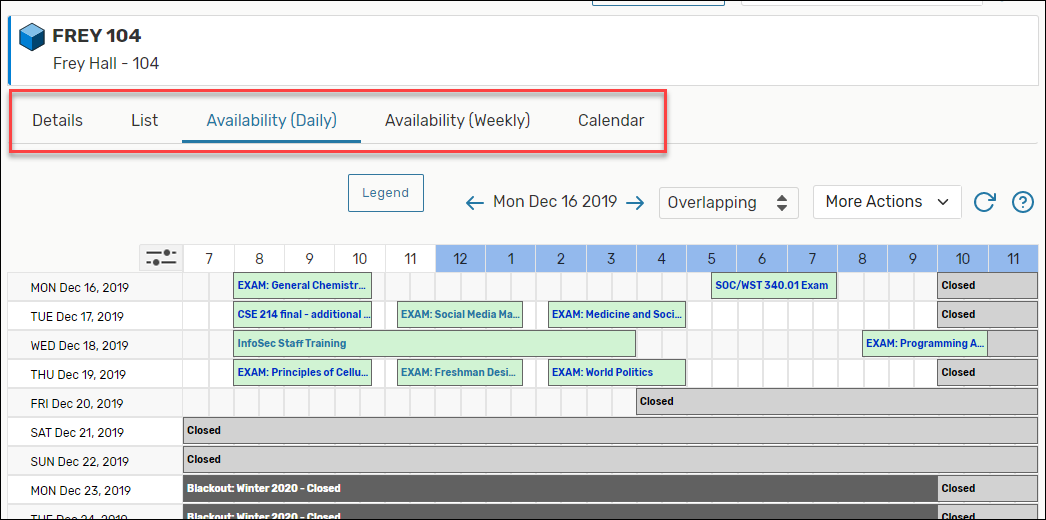
- Be sure to change the date to the correct day of your event.
- To request space, hover over an available time slot or click on the pencil icon
 . Fill out the Event Wizard form provided to reserve your space; the wizard will contain the date, time and location you chose.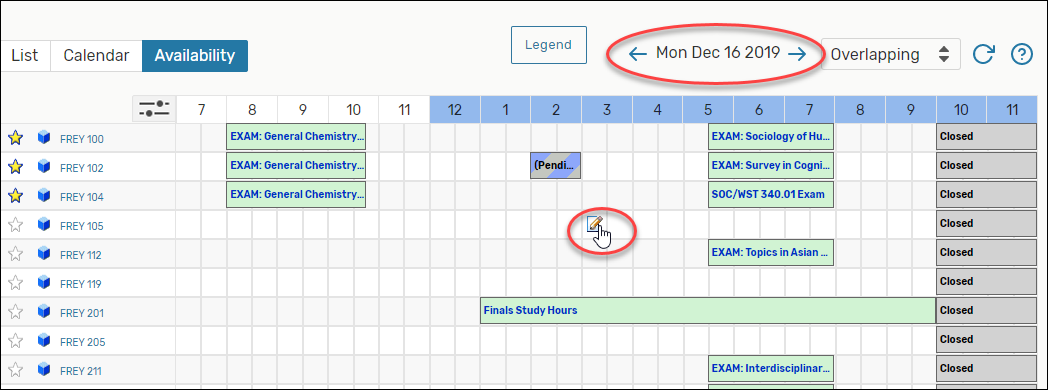
Pro tips:
- If you need to use an item regularly, star it by selecting the
 star icon to the left of an item's name in List or Availability view. Starred items will show up under favorites on the home page (note that too many starred items will slow download time of your homepage).
 - Click the room’s name to view that room’s availability grid/calendar/details.
Supported By
Registrar's Office
(631) 632-6175 (Option 1)