

Why Questions or Prompts Don’t Appear in Interactive Docs or Videos
If you or your students can’t see questions or discussion prompts in an interactive document or video, it’s likely due to a setting that controls when each question becomes available. This article explains how that setting works for both instructors and students.
For Instructors
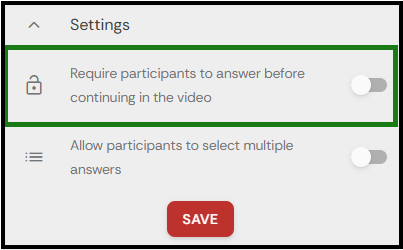
When creating a question card or discussion thread in an interactive doc or video activity, check the Settings section at the bottom of the setup panel.
There’s an option with a lock icon that, when enabled, requires students to complete the current question before the next one becomes available.
For Students
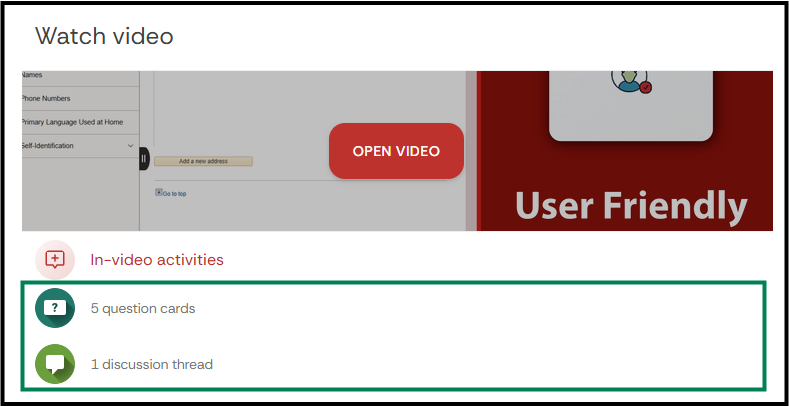
On the activity main page, there will be a summary section with the number of questions/discussions that need to be done for the doc/video activity.
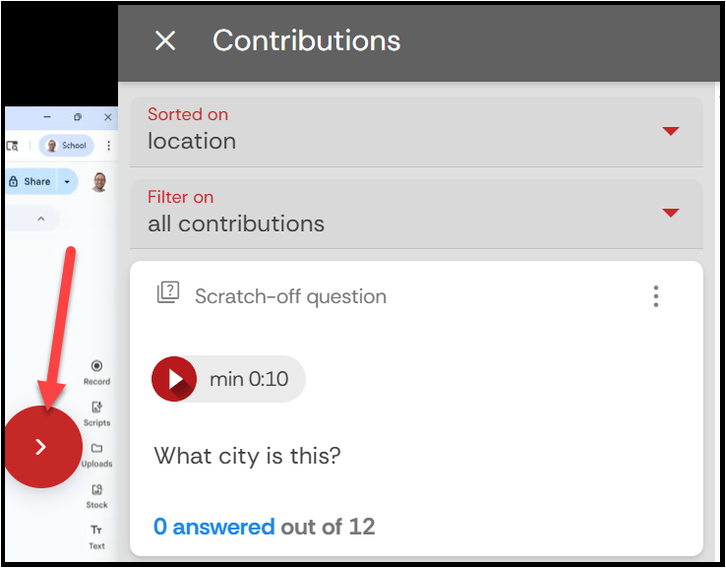
Student can also track the number of questions/discussions that they need to answer by selecting the red/blue circle to open the contribution panel.
When this restriction setting is turned on by your instructor, you’ll only see one question or discussion prompt at a time. There will be a lock icon on the video scrub bar.
Without lock/restriction

With lock/restriction

- The lock/restriction removed

You’ll need to finish the current question before the next one appears.
Note: If you’ve completed a question, but the next one doesn’t appear, please contact your instructor or reach out to our IT support team for assistance.