

Finding the MAC (Media Access Control) or Physical Addess of a Windows PC
The MAC (Media Access Control) Address or Physical Address is a unique identifier that allows you to register your device on other networks. It is important to have this written down in a safe place.
Looking Up Your MAC Address on Windows
- Hold down the Windows Key + "R"
- Paste "cmd /k getmac" in the Run dialogue box (be sure there is a space between the cmd and /k).
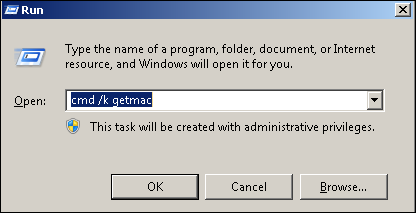
3. Click OK
Supported By
Customer Engagement and Support
Need Help? The fastest way to get support is by submitting a request through our ticketing system.
Get Help With Wired Networking