

Run a program "as Administrator" on Managed Windows Machines
Once you have the CyberArk EPM application installed on your workstation you can grant yourself administrative access for a specific program (e.g., application, installer, executable).
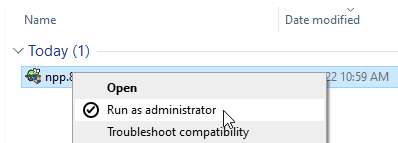
- Run the application that requires administrative privileges, or right-click the executable and select "Run as Administrator".
- You will see a CyberArk EPM pop-up upon launching the program:
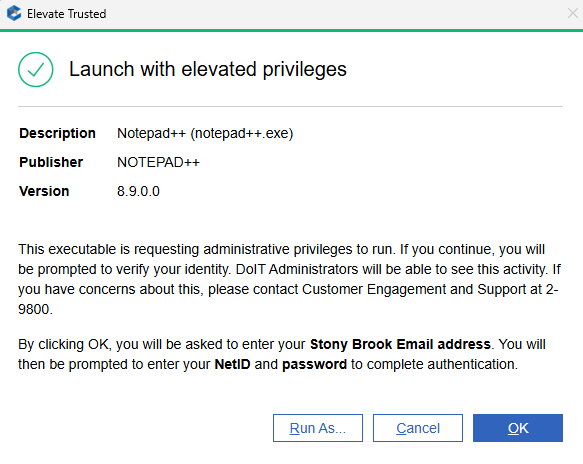
- At the CyberArk EPM prompt, enter your Stony Brook Email address (ie. john.example@stonybrook.edu NOT jexample@stonybrook.edu).

- At the Stony Brook SSO prompt, enter your NetID and Password.
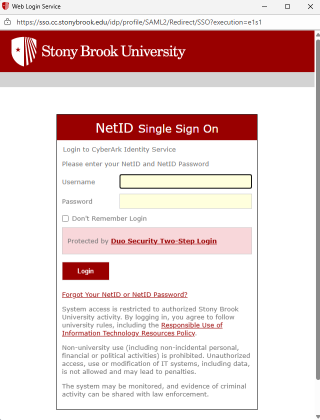
- You will be prompted to verify using your DUO registered device.
Your executable should now run with administrative privileges.
Note: If you enter an Email address that is not associated with your NetID account (such as NetID@stonybrook.edu instead of FirstName.LastName@stonybrook.edu), you will receive a blank website page after you authenticate with your NetID and password.