

PointSolutions: Exporting Sessions
With PointSolutions, you are able to export a full record of a class session including all of your data for that session. This provides more information than export in a report and allows you to transfer your session from one computer to another or make a back-up for you session.
How to Export
To export your session:
- Open the PointSolutions desktop application and sign in to your account.
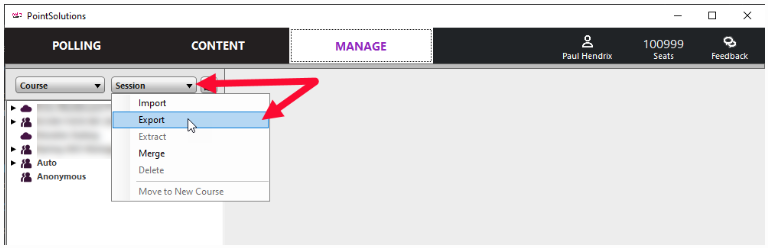
- From the Manage tab, click the Session drop-down menu and select Export.
- Place a checkmark next to the session or sessions to be exported and click the three dots next to the Export to Directory field to choose where to save your file(s)
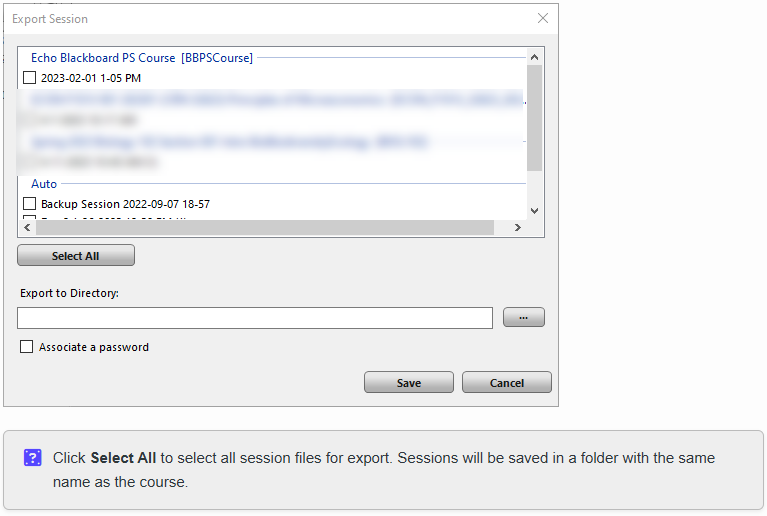
- Select Associate a password if desired.

- Click Save.