How to Swap Classes on SOLAR
Follow these steps to swap from one class to another on SOLAR.
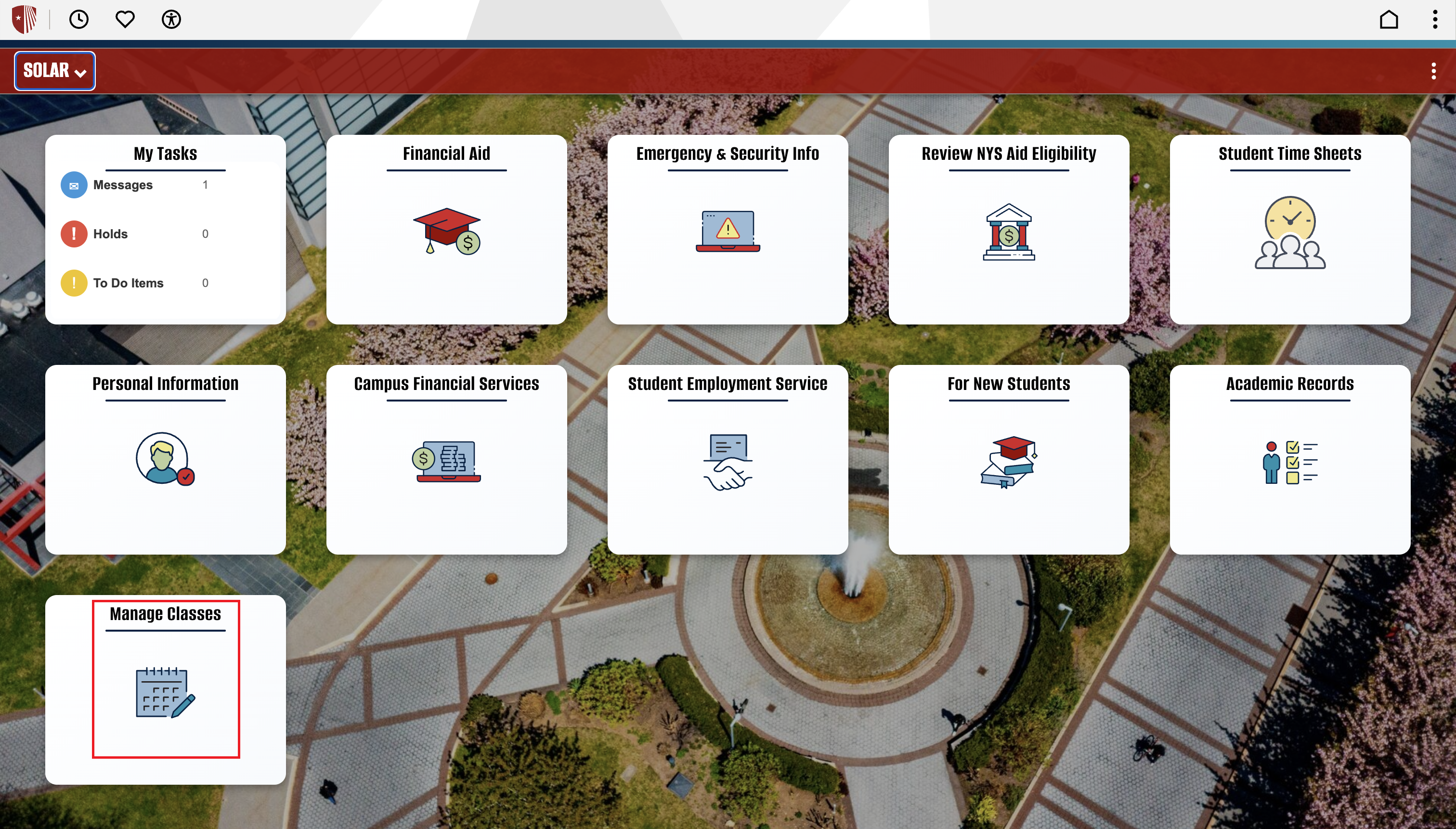
Getting Started: Once logged into SOLAR, select the “Manage Classes” tile.
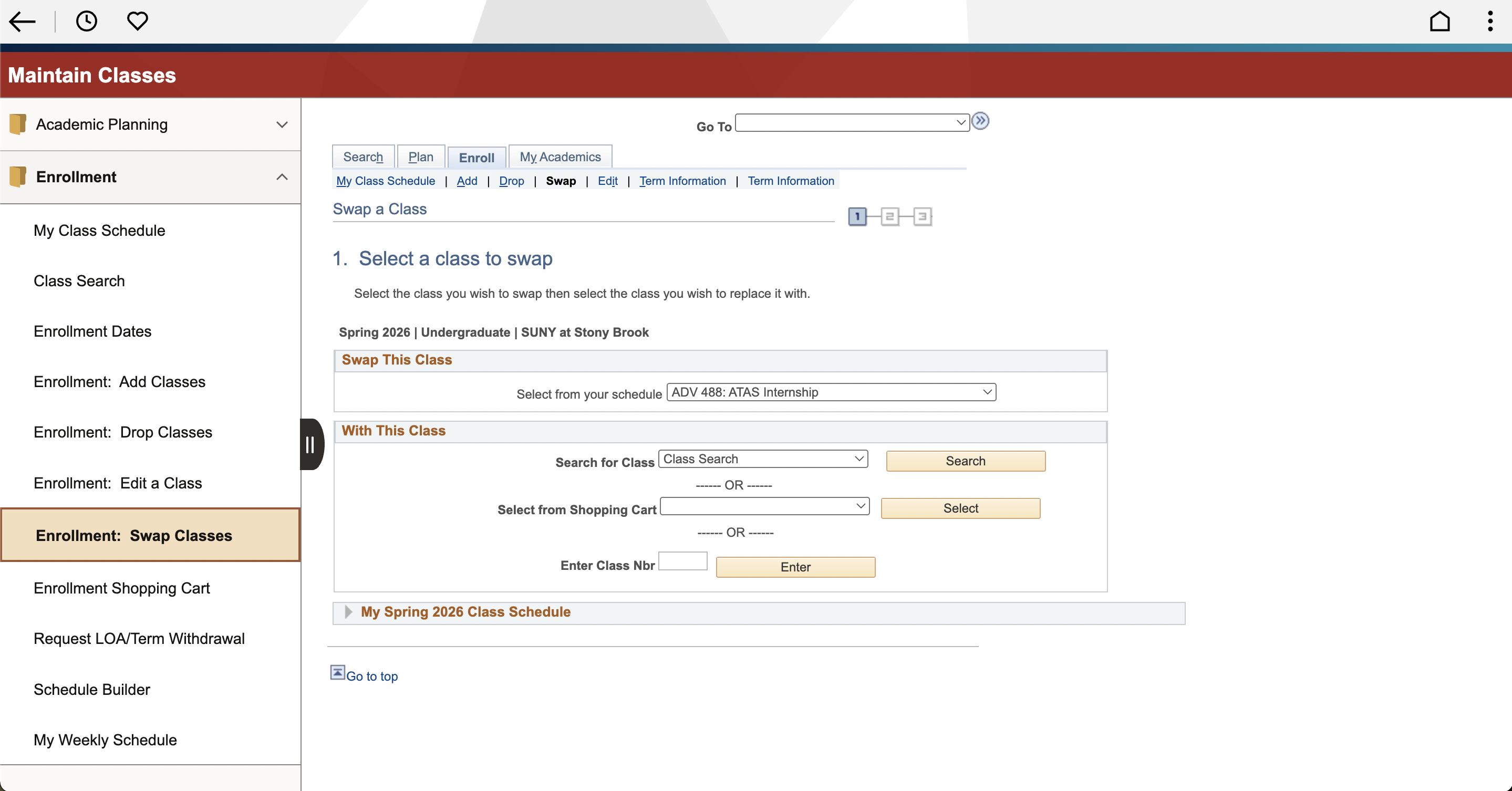
Step 1: Under the Enrollment dropdown, select the “Enrollment: Swap Classes”
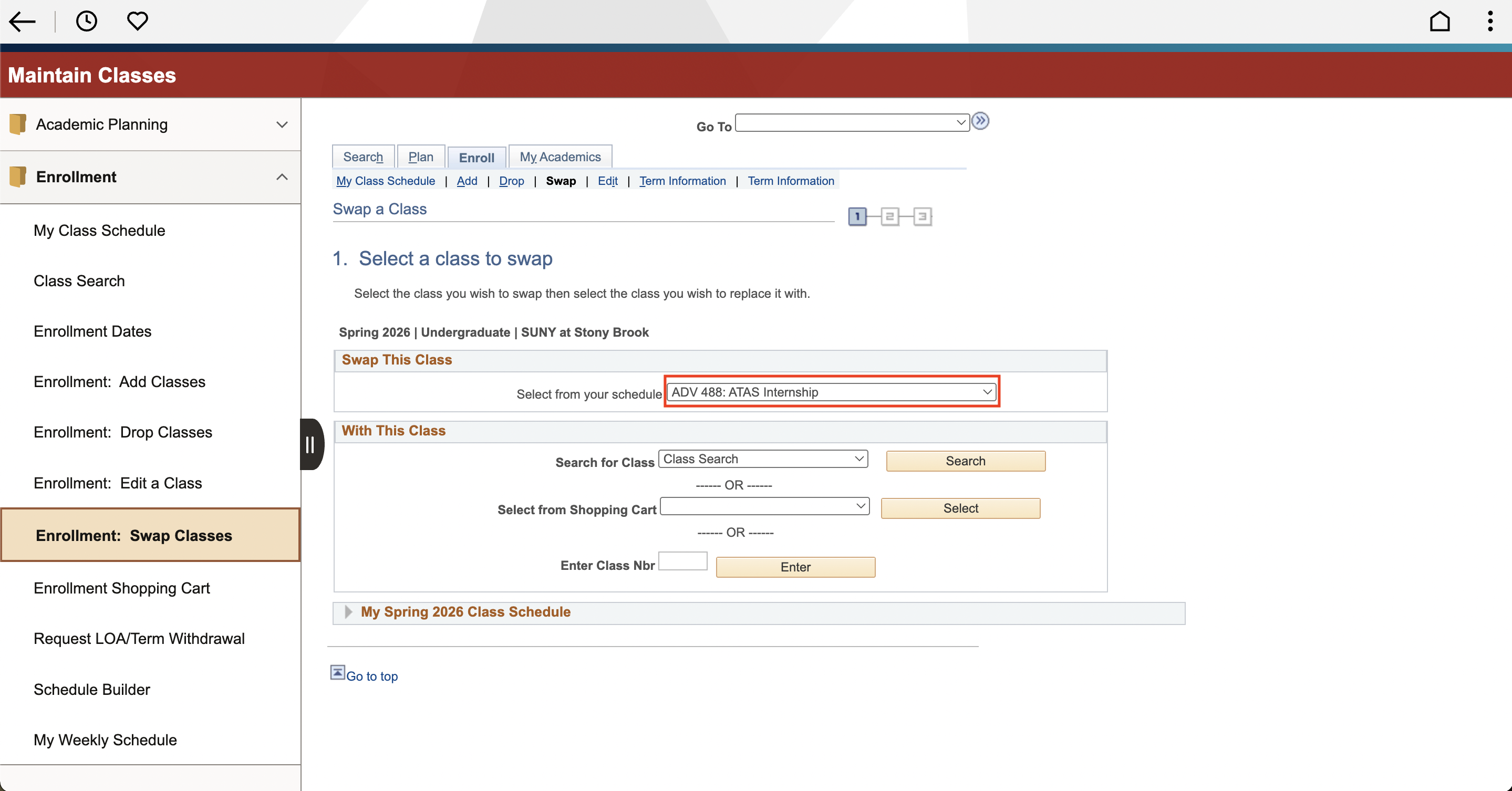
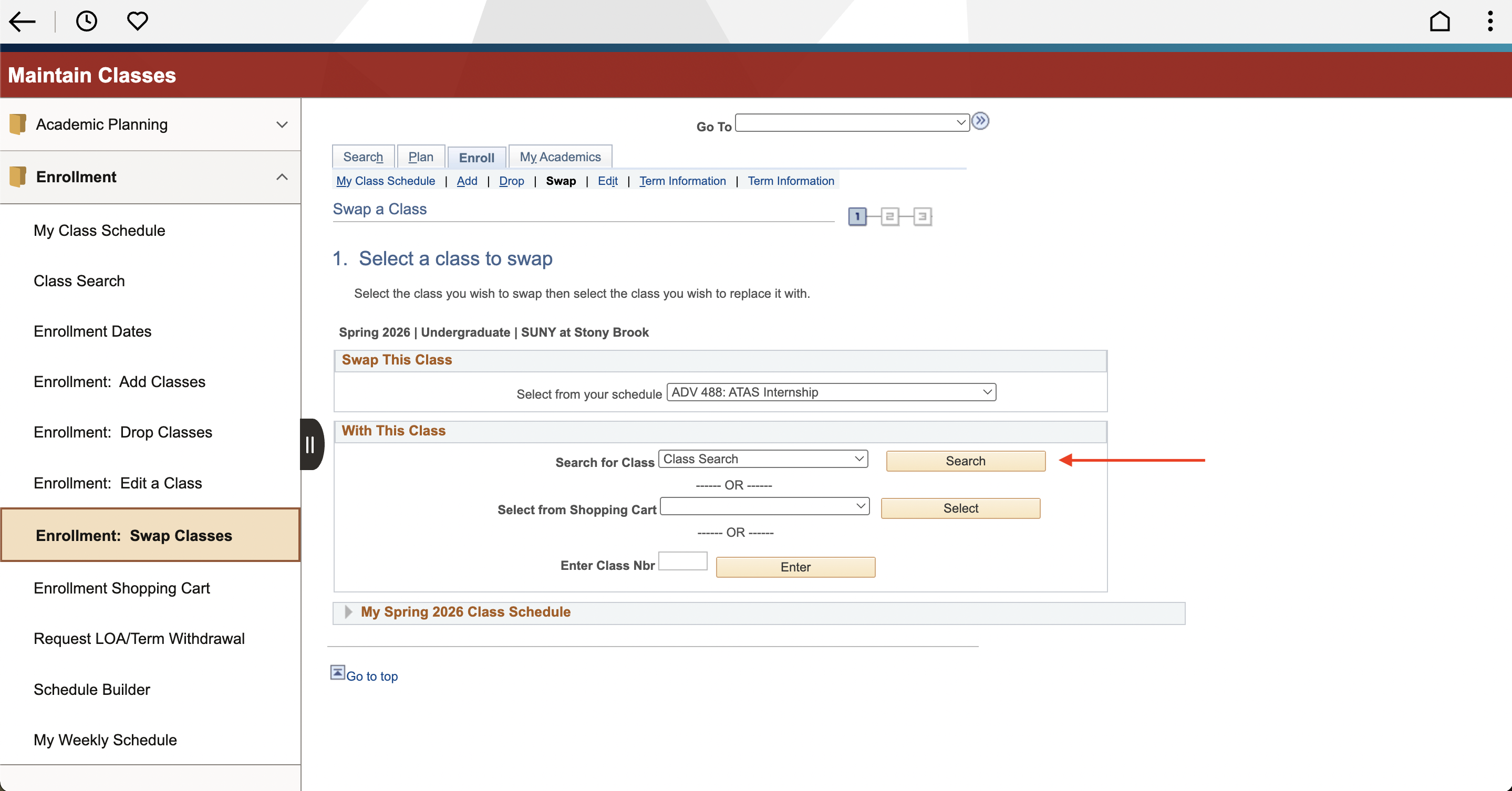
Step 2: In section Swap This Class, select a class from class schedule In section With This Class, you can search for a class OR select a class already in your shopping cart.
Step 3, Option A: By selecting the “Search” button, you can explore classes via the Class Search feature. Refer to SOLAR Class Search tutorial for 3 detailed methods of searching for classes.
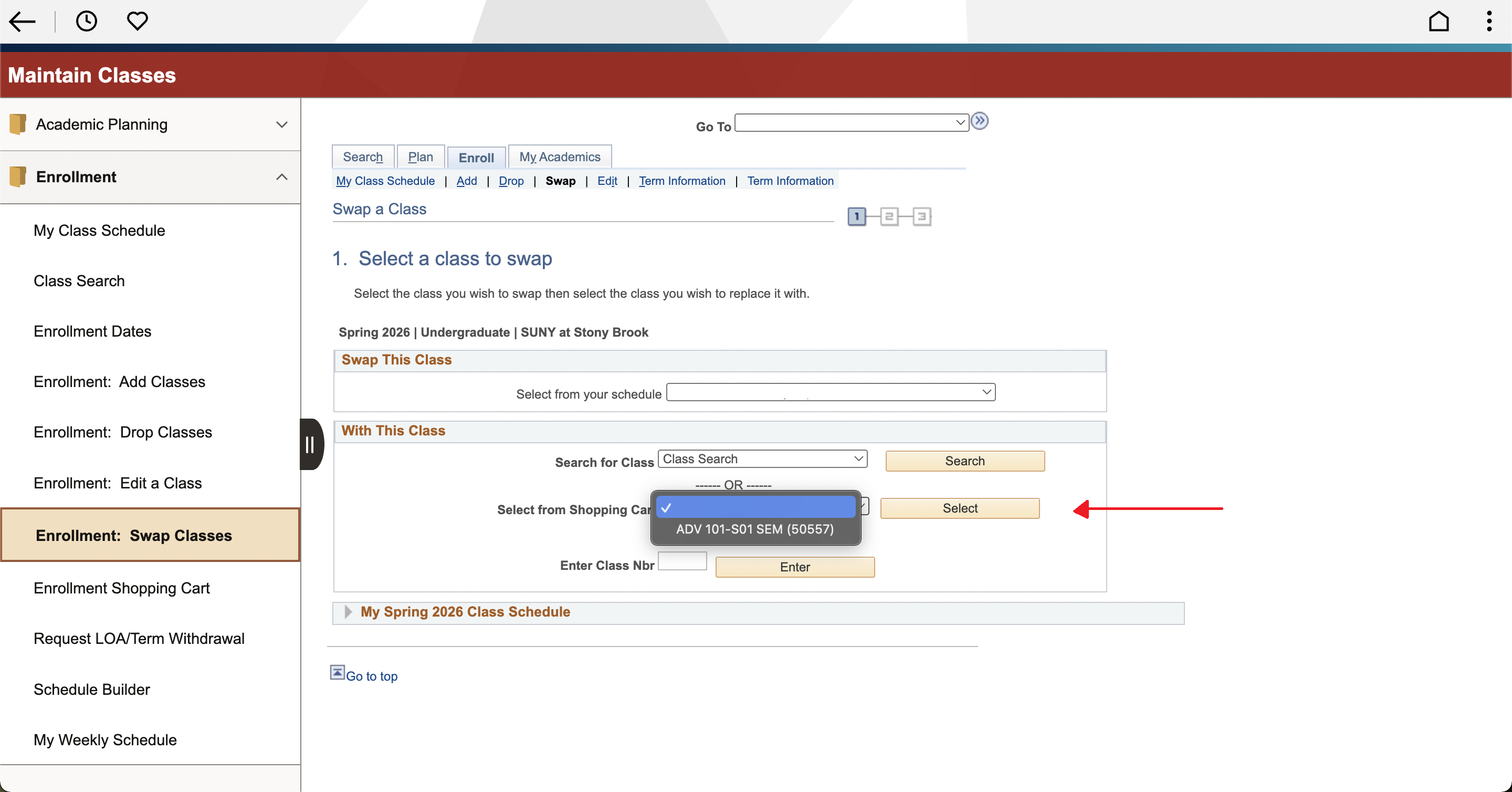
Step 3, Option B: To choose a class currently in the shopping cart to swap, click the dropdown box for the Select from Shopping Cart selection. Then, click the Select button on the right.
Step 4: Once selected, the screen will display the information for the course swap. Review the courses’ information then click the Finish Swapping button in the lower right corner.
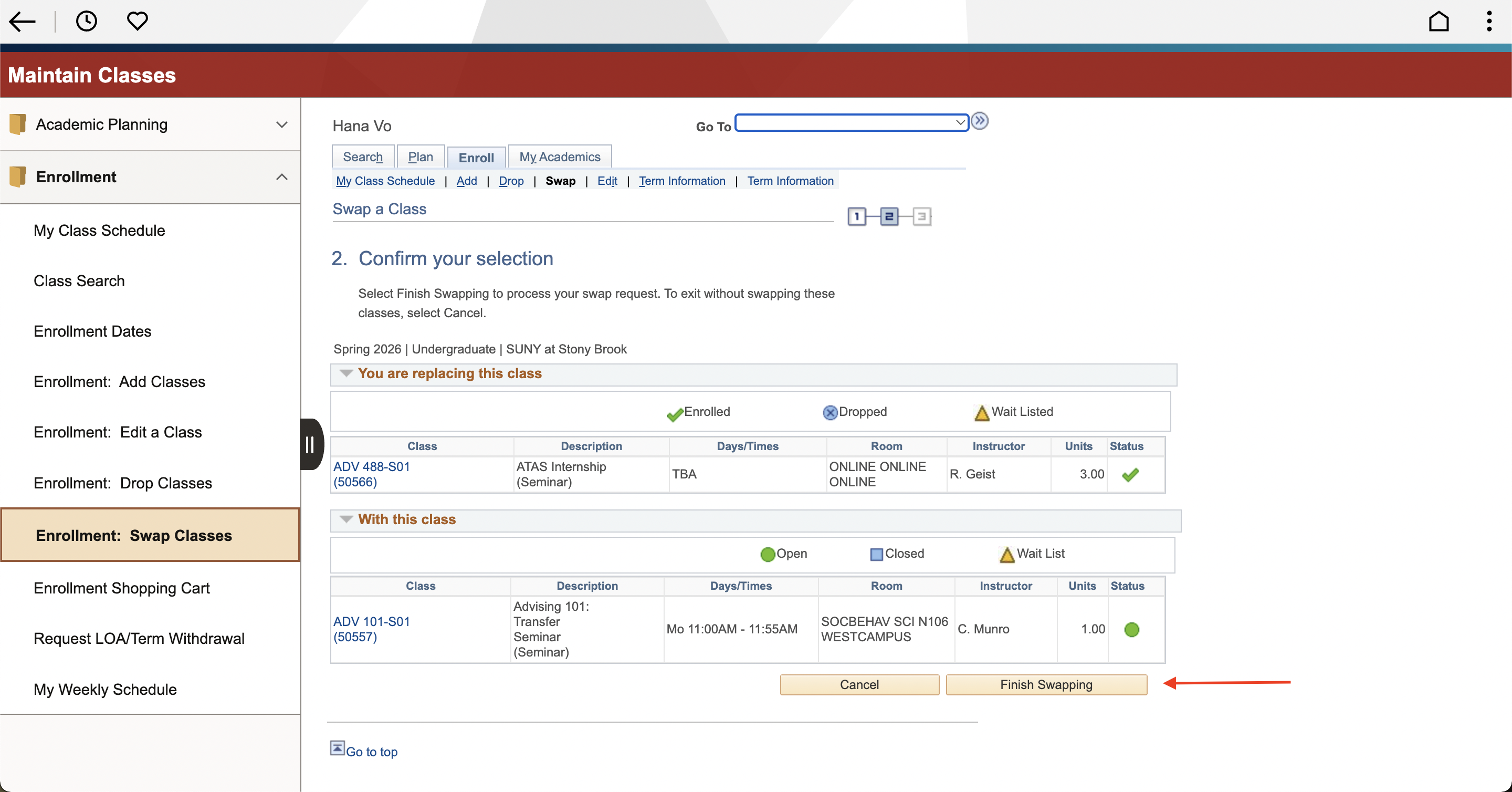
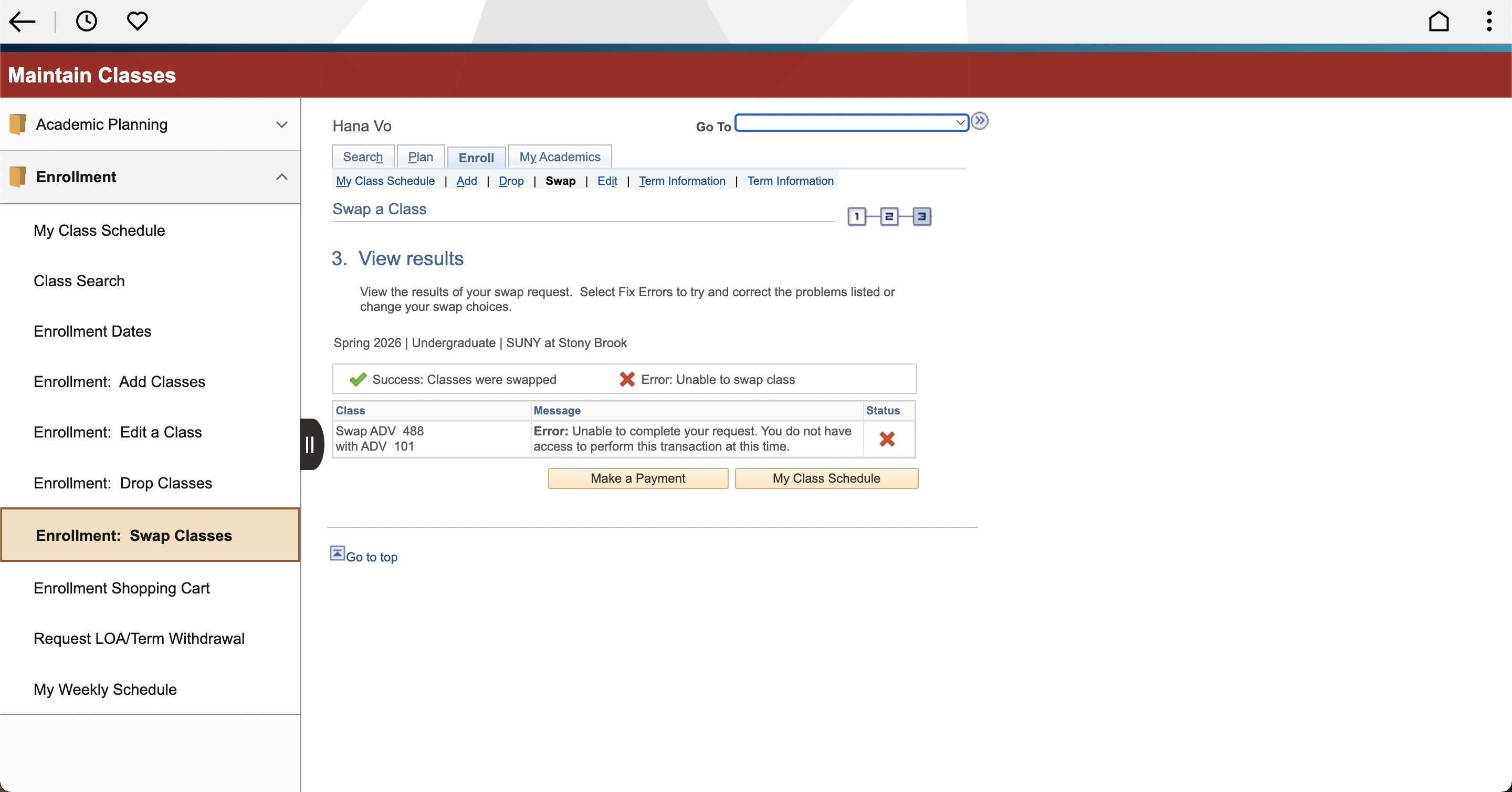
Step 5: See the Status column for a Green Check to indicate if your swap was successful, or Red X to indicate if you ran into an error.