

Finding your Department ID when Hiring Students in SOLAR
Every Department is identified by a unique 8-digit Department ID. This is your State budget account number. You are only allowed to view/create/update assignments for that Department ID. You may have access to more than one. Student Employment Coordinators can find their Department ID through SOLAR
Looking Up Your DeptId
Under Manage Student Workforce, click Find DeptId From Account Code
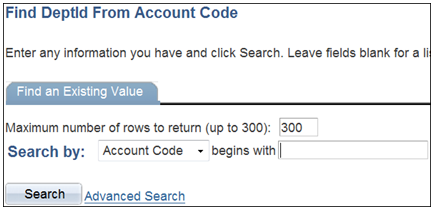
Find it by entering the Account Number that you will be using to pay the student and then click Search.
Department ID's vs Account Numbers
Sometimes the Department ID and the Account Number are the same, but not always.
This number should be 8-digits long so you may have to add two zeros at the end. For example 84083500.