

Error With MySBFiles on Windows
If you get one of the following errors while attempting to access MySBFiles - "Invalid Signature". "System error 2148072478" or "An extended error has occurred"; and you are using a computer running Windows - then you need to map MySBFiles.
- Open a powershell terminal.
In the terminal type:
Set-SmbClientConfiguration -RequireSecuritySignature $trueAnd Hit Enter
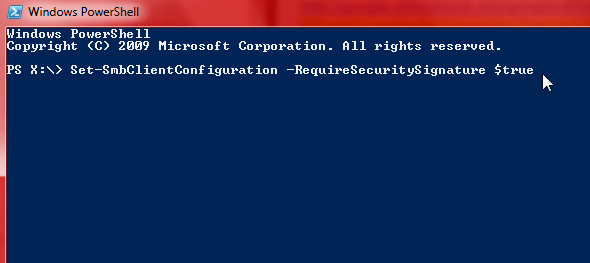
- Retry opening MySBFiles. If you can now access MySBFiles, then you are finished. Only continue to step 6 if you still cannot access MySBFiles.
- Go back to Windows PowerShell.
Type
Set-ItemProperty -Path"HKLM:\STSTEM\CurrentControlSet\Services\LanmanWorkstation\Parameters" RequireSecureNegotiate -Value 0 -ForceAnd Press Enter
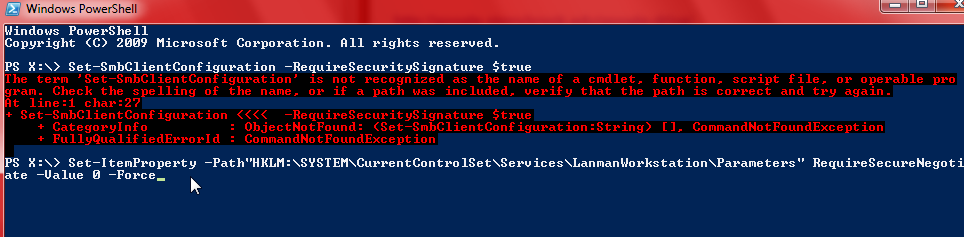
- Now you should be able to access MySBFiles.
Please Contact
Customer Engagement and Support