Finding the Name of a Windows Computer

This KB Article References:
This Information is Intended for:
Staff

To find the name of a Windows computer:

  1. Press the Windows key on your keyboard and type “Name” to search for View your PC Name.
  2. Click on View your PC Name or press the Enter key.
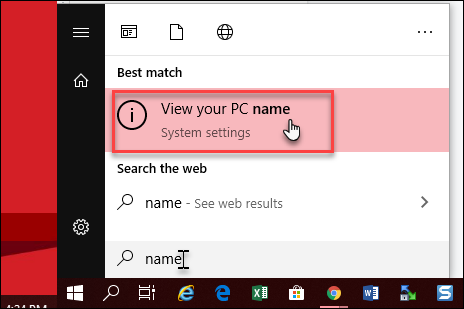
    Screenshot of viewing our PC Name in the Windows Start Menu
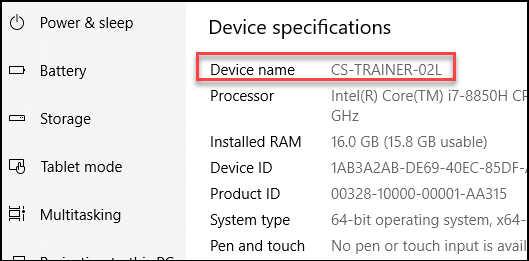
  3. Write down your Device name. 
     Screenshot of the Device Specifications Screen in Windows showing your device name.
This Content Last Updated:
01/24/2026

Supported By


Customer Engagement and Support
This KB Article References:
This Information is Intended for:
Staff
Estimated Read Time:
1 minutes
This Content Last Updated:
01/24/2026