

Printing Teaching Schedules in SOLAR
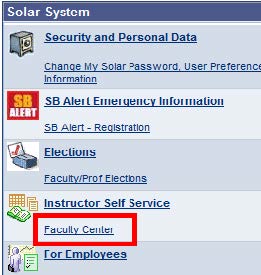
From the SOLAR homepage, click Faculty Center under Instructor Self Service.
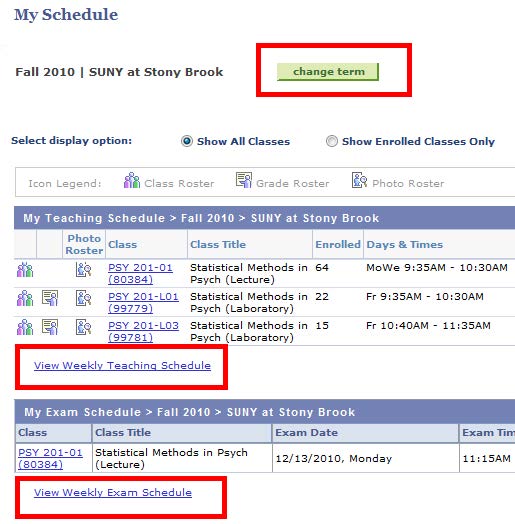
Click the Change Term button and select the Term that you want to view.
Click the View Weekly Teaching Schedule link.
Or, click the View Weekly Exam Schedule link.
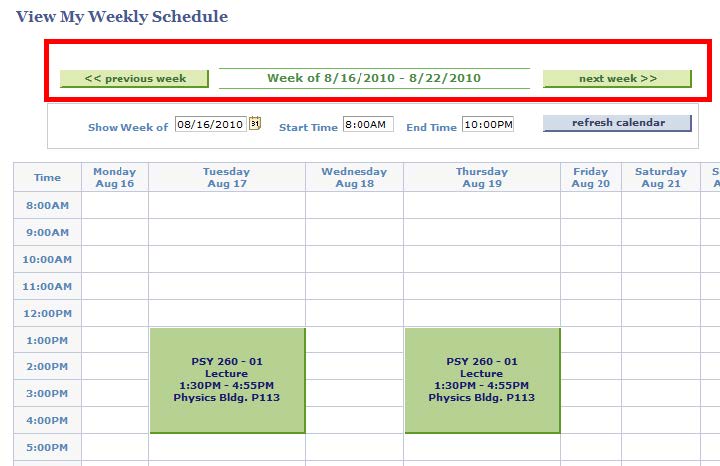
Make sure that you choose a week within the Term that you want to view/print.
Scroll down on the page...
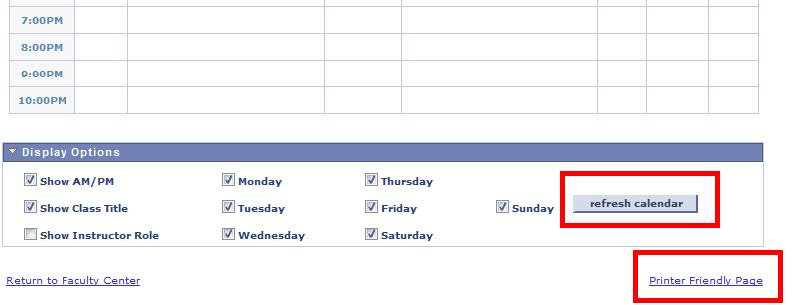
Choose Display Options.
Then, click the Refresh Calendar button.
Click the Printer Friendly Version link.
Then click the Print button on your browser. Click the Return link to return to the Weekly Schedule page.
If you need assistance or would like to report a problem with your Roster, click the To Report Problems link in SOLAR and submit a trouble ticket. Someone will contact you by phone or email.
Supported By
Customer Engagement and Support