

Changing your Personal (Home or Other) Email Address in SOLAR
All University communications are sent to the Campus email address, so be sure to check your stonybrook.edu email account regularly. If you have not been issued a campus address or your account has been disabled (e.g. you have graduated and left the campus), communications will be sent to the "Home" address first (if one has been entered), or "Other" automatically. The information below will show how to update your personal email address on record with University. Please keep all personal email addresses current throughout your time at Stony Brook.
Adding a personal email address
- From the SOLAR Home Page, under Security and Personal Data, click Email Addresses
- Click the Add An Email Address button
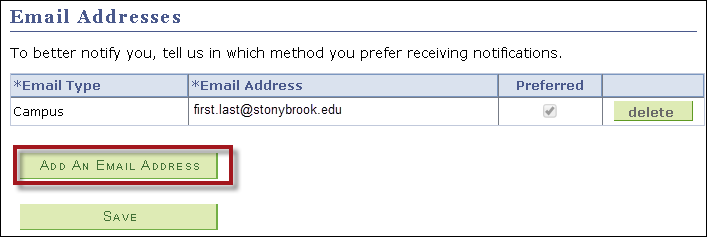
- Fill out *Email Type and *Email Address,
- Click the Save button
Deleting a Personal Email Address
- Click on the Delete button and then click Save.
Note: You cannot delete the Campus email address.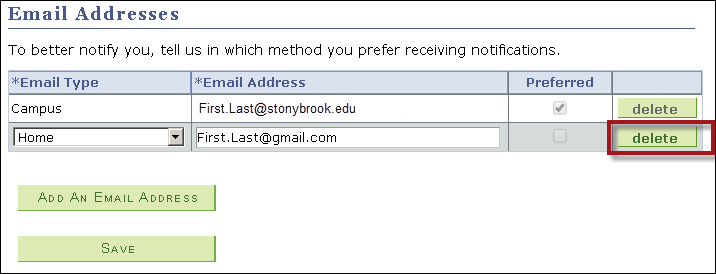
Changing a Personal Email Address
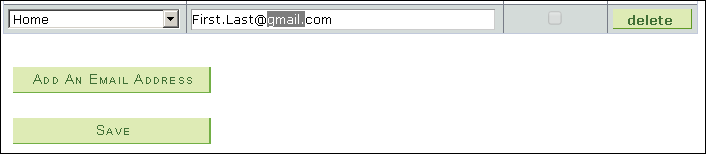
You can only change your Home or Other email address. You cannot edit or change your Campus address here. To change your Home or Other email address, highlight all or part of the address and overwrite the *Email Field and then click Save.
Supported By
Need Help? The fastest way to get support is by submitting a request through our ticketing system.
Get Help With SOLAR