

Setting User Preferences in SOLAR
You may set defaults each semester (term) so that you don’t have to keep entering them as you navigate in SOLAR.
- From the SOLAR Home Page under Security and Personal Data, click User Preferences
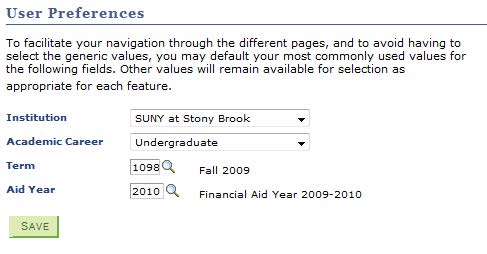
- Select the Institution, Academic Career, Term, and Aid Year. Then click Save.
Supported By
Customer Engagement and Support