How to View Your Unofficial Transcript

This Information is Intended for:
Staff, Students

Getting Started: On the home page of SOLAR, select the Academic Records Tile.
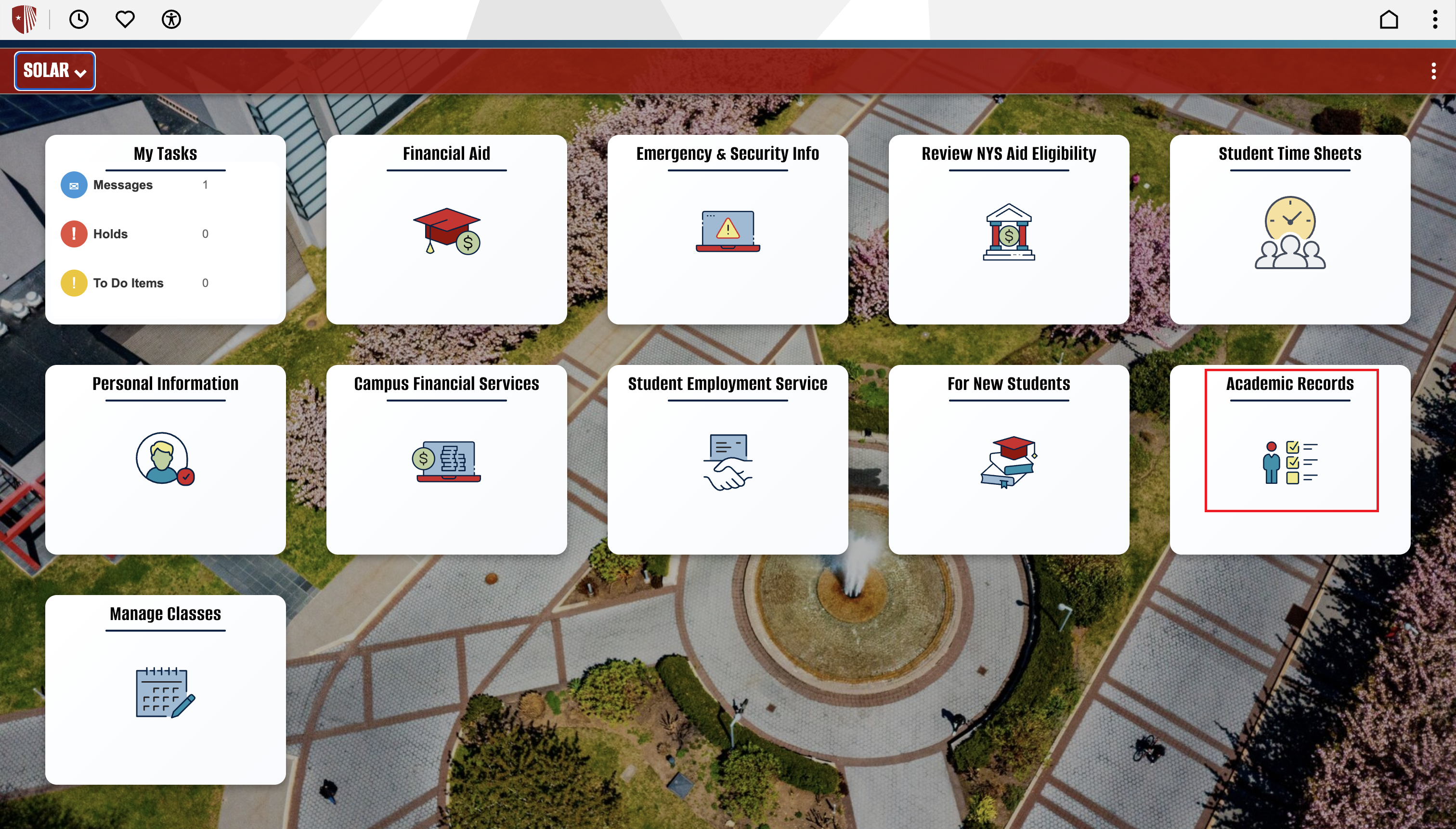
Student portal interface with service tiles over a campus plaza and fountain. Red box indicating “Academic Records” button.


Step 1: On the left side navigation, press View PDF Unofficial Transcript. The dropdown boxes should read Academic Institution: SUNY at Stony Brook and Report Type: Unofficial. Then select the View Report Button next to the dropdown boxes.
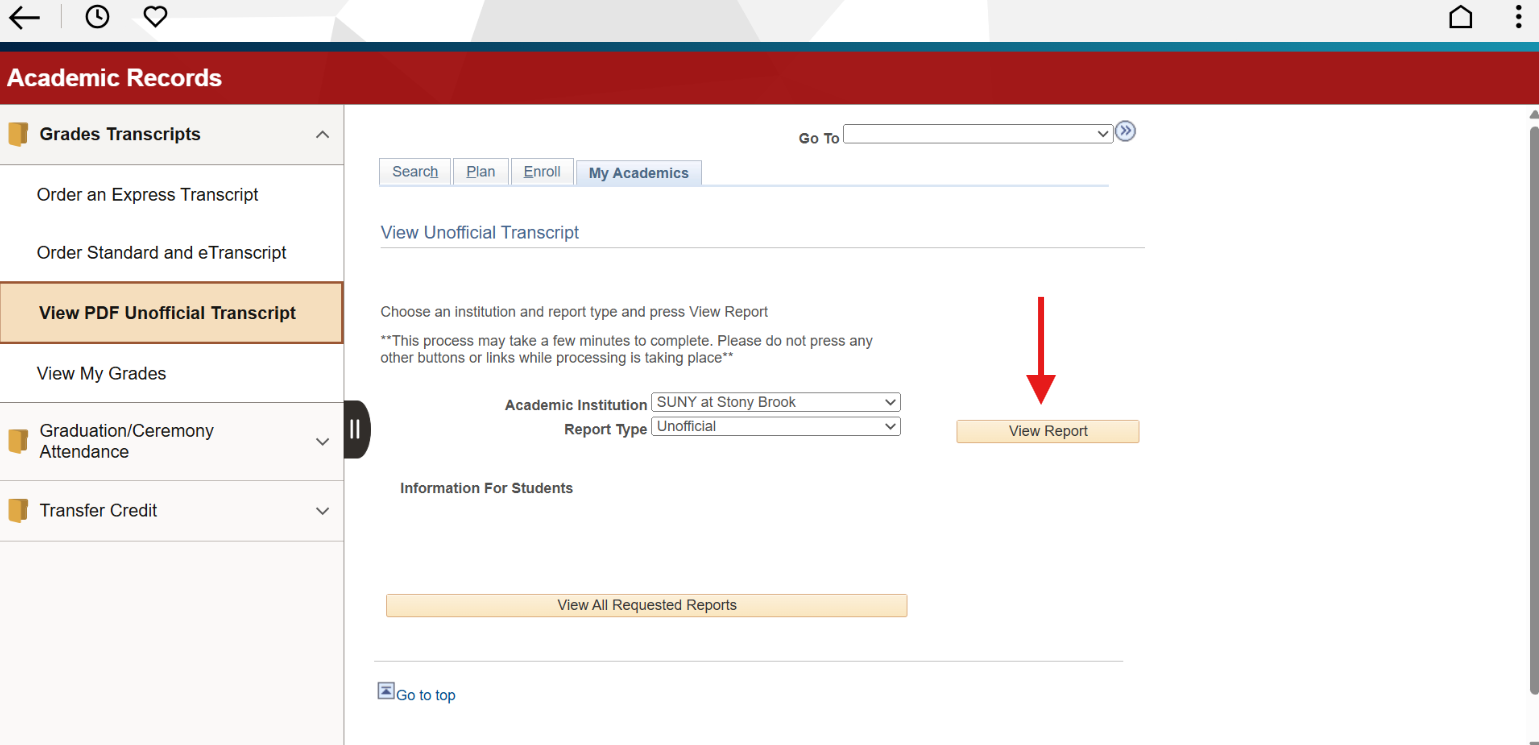
Webpage interface for viewing an unofficial transcript. Red arrow indicating “View Report” button.


Step 2: On the new page, select the top View Report Button in the list to open the most updated version of your unofficial transcript.
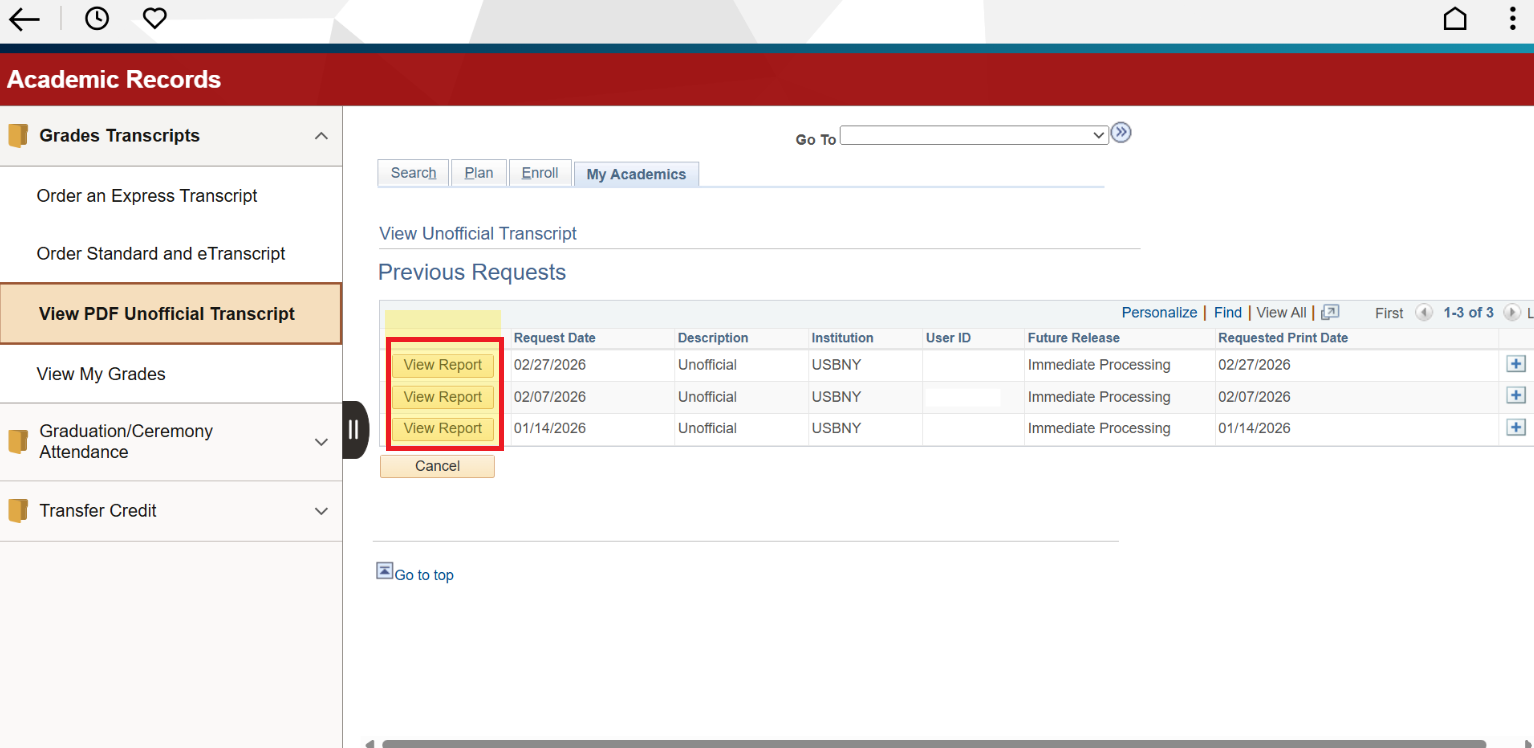
Web page interface showing academic records with a highlighted option to view a PDF unofficial transcript and a table of previous requests.
This Content Last Updated:
07/01/2026
This Information is Intended for:
Staff, Students
Estimated Read Time:
1 minutes
This Content Last Updated:
07/01/2026