How to View Enrollment Appointment
These steps will show how to find your unique enrollment appointment date and time. This will be the earliest that you are eligible to register for the upcoming Fall or Spring semester.
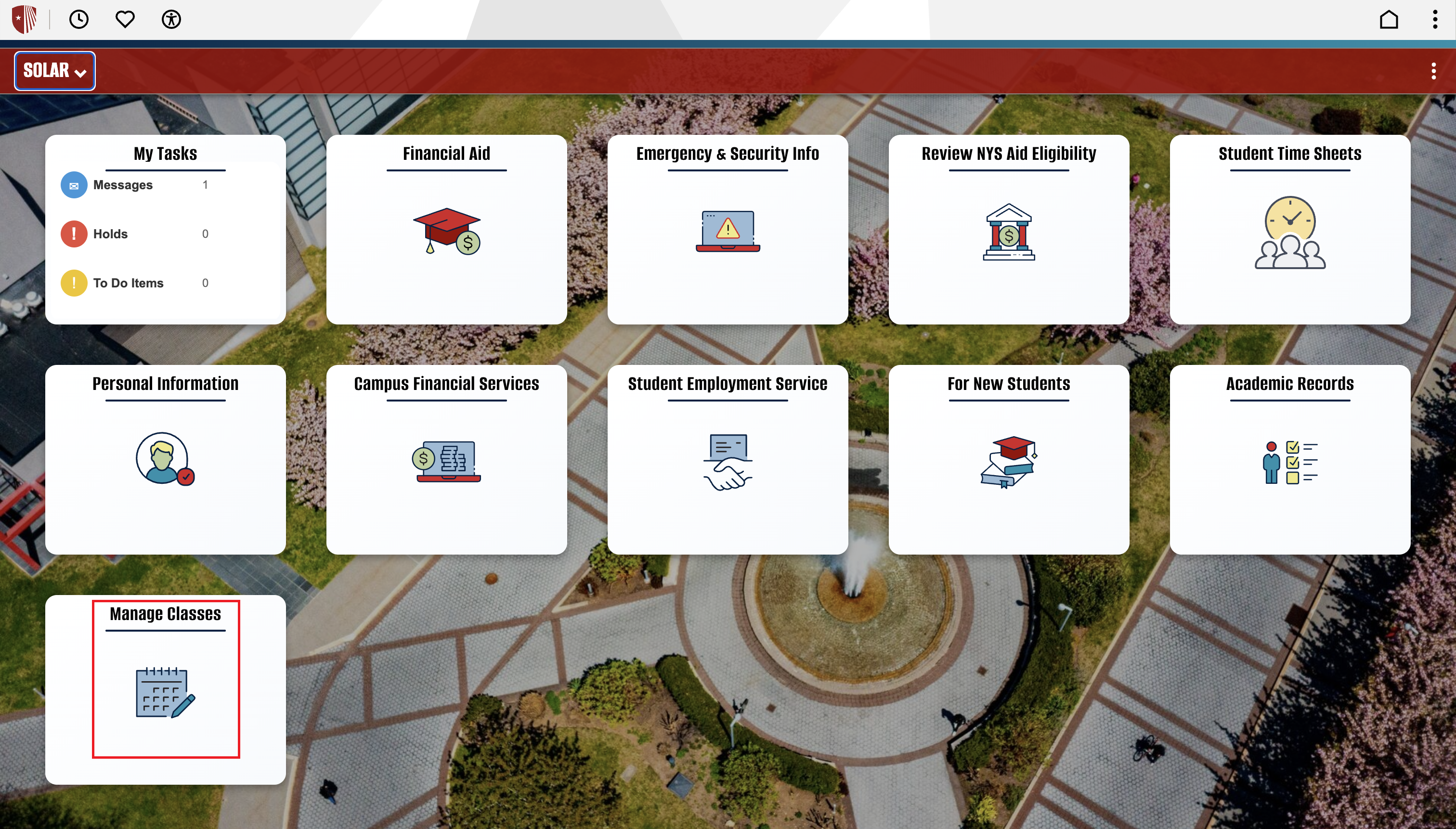
Getting Started: Once logged into SOLAR, select the “Manage Classes” tile.
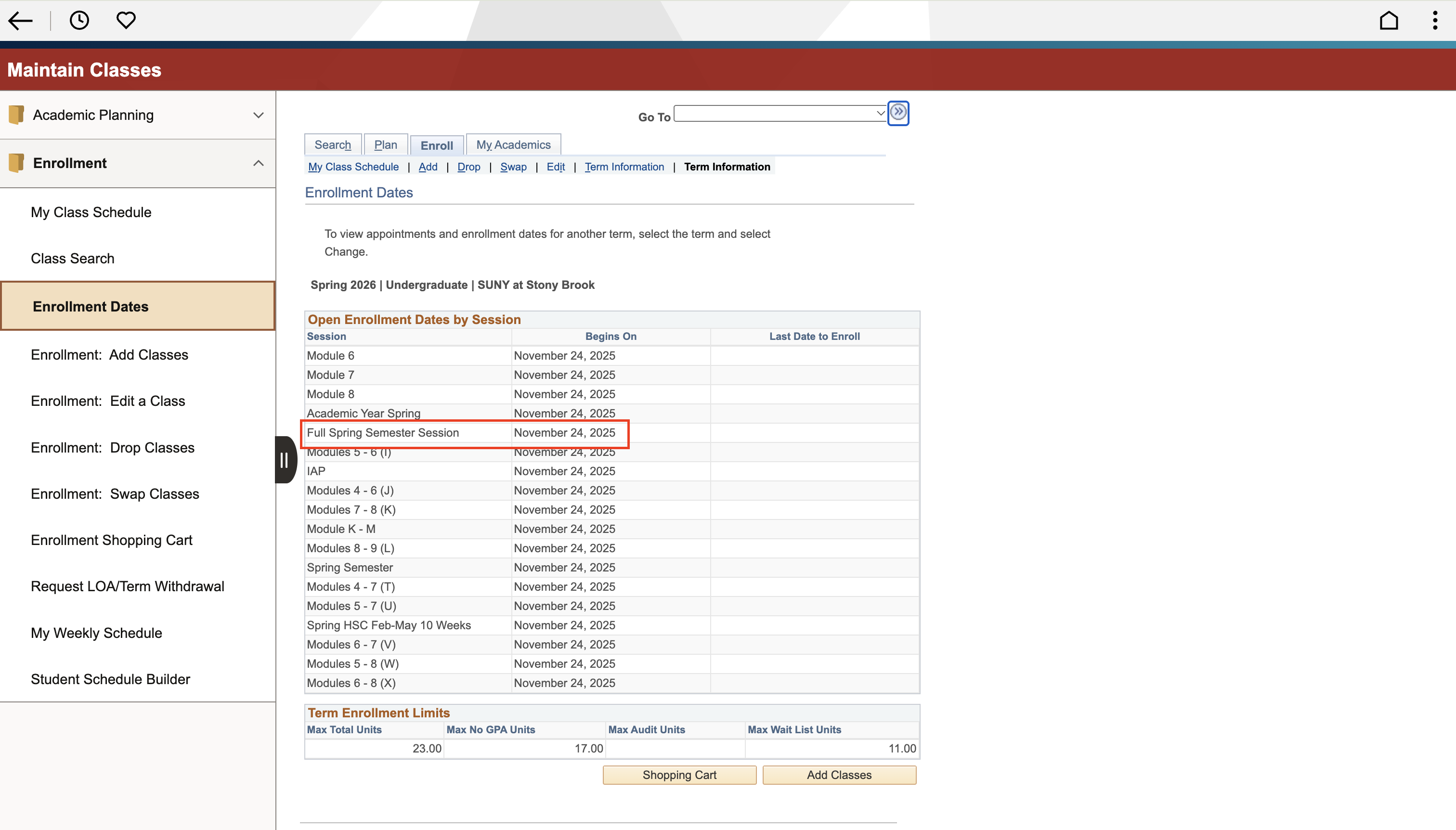
Step 1: On the left side navigation under Enrollment, select “Enrollment Dates”. This page will have you select the term you want to see your enrollment dates and times for. Each row will indicate the earliest date and time you will be eligible to register for courses. In the example, the Full Spring Semester Session option.