

Student Account Information and Payment
- From the SOLAR home page look under Campus Financial Services
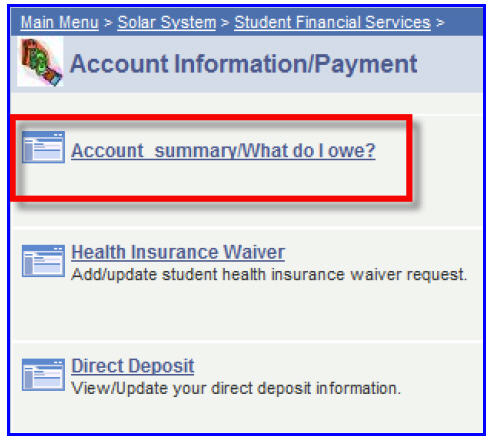
- Click Account Information/Payment
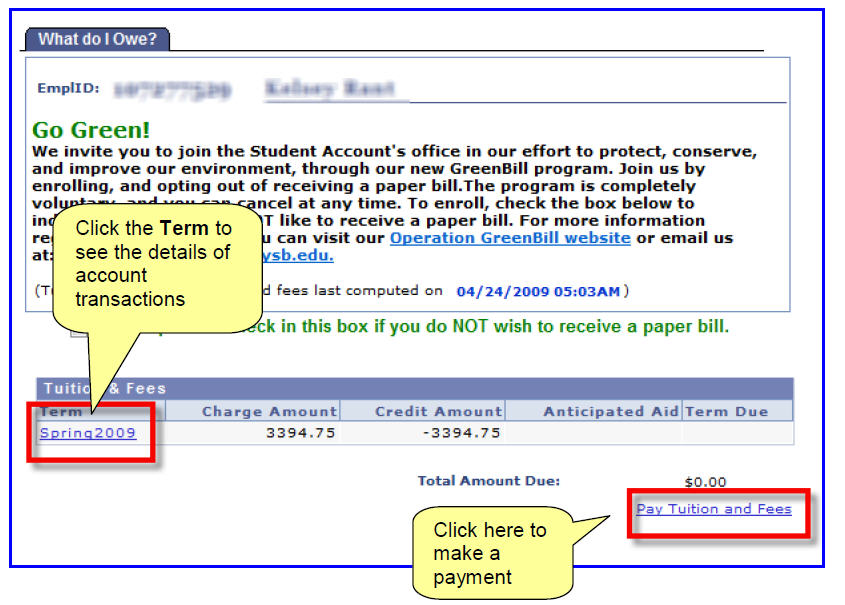
- Click Account Summary/What Do I Owe?
- Clicking the Term will display the Account Detail Screen.
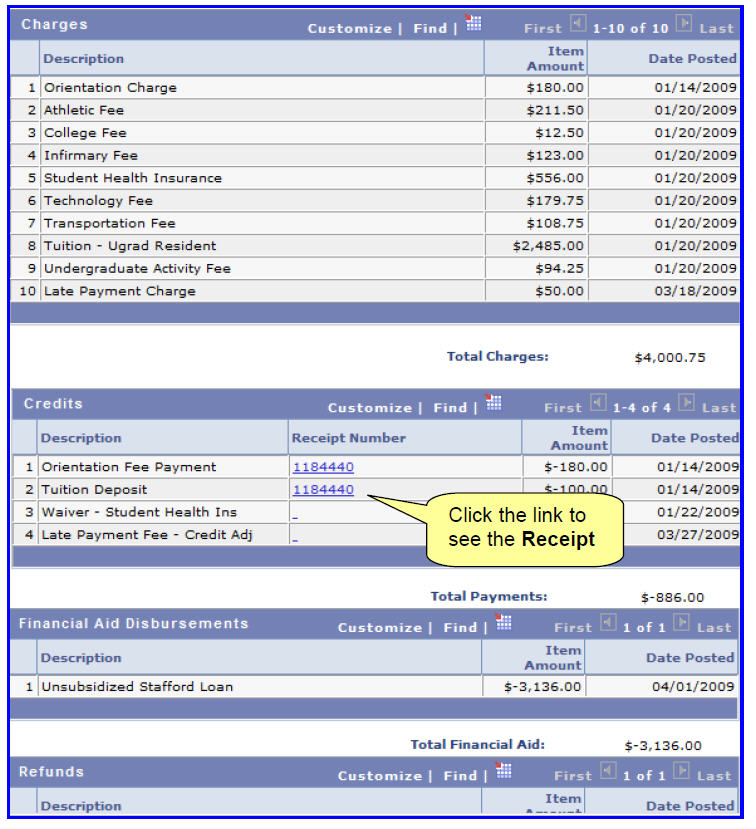
- This page displays all charges, payments, disbursed aid and refunds for the selected Term.
Supported By
Customer Engagement and Support