

Changing the Order of the Menus on your SB You Site
Menu items are tied to pages in SB You. This article will show you how to create and manage the menu item order as it appears on your SB You site. The vendor documentation also discusses this topic.
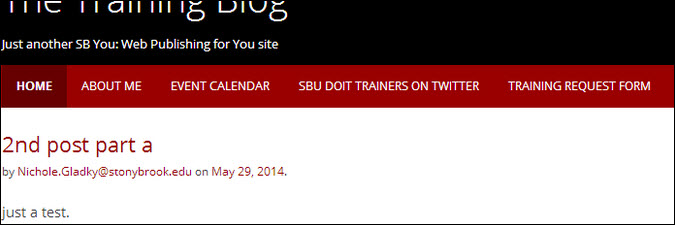
An example of a site menu with menu links for the About Me, Event Calendar and other pages.
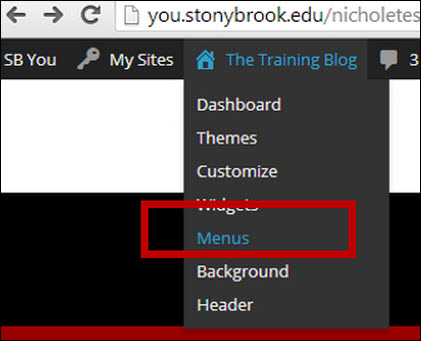
- Go to your SB You Site's Admin Toolbar Menu and then click Menus
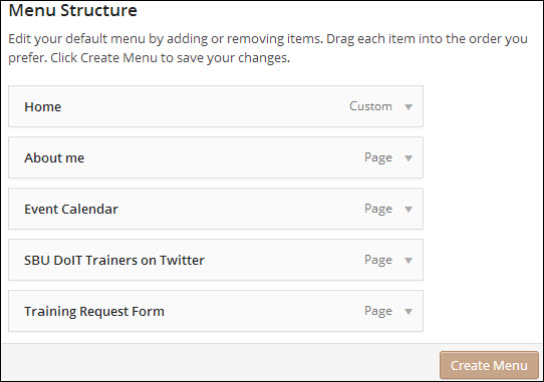
- Then drag and drop the pages below into your preferred order and click Create Menu
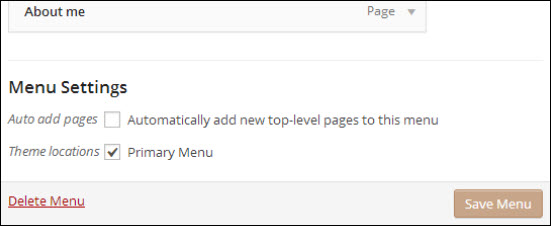
- THEN, check off "Primary Menu" and click Save Menu
Supported By
Customer Engagement and Support